
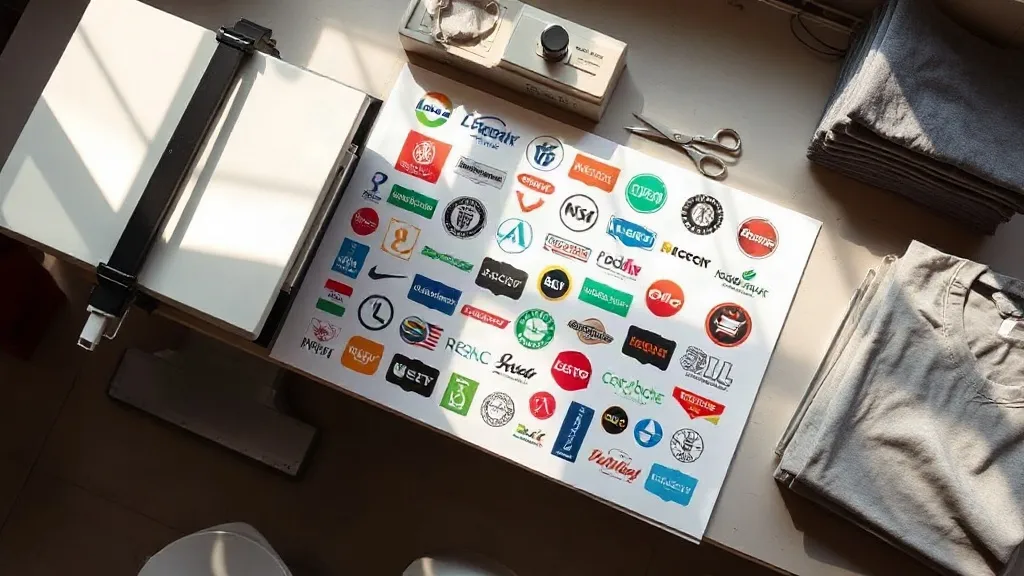
If you run a small print shop or a one-person apparel brand, you already know the quiet math behind every order: the design is the easy part, and the production cost is what decides whether you make money. A DTF Gangsheet is one of the few tools that genuinely changes that math. Instead of paying per piece for a single transfer, you pay for a sheet of film and fill it with as many designs as will fit, which is why so many small operators have quietly rebuilt their pricing around it.
This guide is written from the perspective of someone who has packed, printed, and shipped through plenty of busy weeks. It covers what a gangsheet actually is, when it makes sense, how to lay one out without wasting film, and the mistakes that cost the most money.
What a DTF Gangsheet Actually Is
Direct-to-film printing works by printing your artwork onto a special film in mirror image, dusting it with adhesive powder, and curing it. The result is a flexible transfer you can press onto cotton, polyester, blends, canvas, and most of the fabrics that give screen printing trouble. A gangsheet takes that same process and scales it up: rather than printing one small design at a time, you print a large sheet and arrange many designs across it.
The sheet is later cut apart, either by hand or with a cutter, and each piece becomes its own transfer. Nothing about the transfer itself changes. What changes is how the film is used, and that is where the savings come from.
Gangsheet versus individual transfers
Individual transfers are convenient when you need one design in one size. Gangsheets reward planning. If you have ten shirt orders with different designs, ten separate transfers mean ten setup runs and a lot of unused film edges. A single gangsheet lets those ten designs share one sheet, so you pay for one print job instead of ten.
The tradeoff is that you have to think ahead. You need to know what you are printing, in what sizes, and how much room each design needs before you send the file. That planning work is the entire skill.
When Gangsheets Save Real Money
Not every job belongs on a gangsheet. Here is how I decide.
- Mixed orders: A team order where everyone wants a name on the back plus a logo on the front is a natural fit. Many small designs, one sheet.
- Restocking bestsellers: If a design sells steadily, filling leftover space on a sheet with extra copies keeps your shelf stocked at a lower per-unit cost.
- Sample sets: Sending a client a range of colorways or sizes is cheaper when they all travel on one sheet.
- Small-batch launches: A ten-shirt drop does not justify a screen setup, but it fits comfortably on a gangsheet.
Where gangsheets stop making sense is a large run of a single design in a single size. At that volume, screen printing or a dedicated transfer roll usually wins on cost per piece. The gangsheet is a tool for variety, not for uniformity.
How to Lay Out a Sheet Without Wasting Film
Most of the money you lose on gangsheets is lost in the layout, not the printing. A few habits keep waste low.
Nest the shapes, do not just line them up
Designs are rarely perfect rectangles. A curved logo, a script wordmark, and a circular badge all leave dead space around them. Rotate and tuck pieces into each other's gaps rather than stacking them in neat rows. A tight nest can fit noticeably more artwork on the same sheet.
Leave a real margin between pieces
Tight nesting tempts you to push designs flush against each other. Do not. You need a cutting margin so the blade has room, and you need a small gap so powder and curing do not bridge two designs into one unusable blob. Leave a consistent border and keep it consistent across the whole sheet.
Group by size and color
If you are printing white ink designs, group them so the white layer is applied evenly. If you have a mix of large and small pieces, place the large ones first and fill the gaps with small ones. This is the same logic as packing a suitcase, and it works.
Check resolution before you send
A gangsheet magnifies file problems. A 72 dpi logo that looked fine on screen will look soft and jagged when it is printed at production size. Set your artwork up at 300 dpi at final print size, and check that every element in the file is actually vector or high-resolution raster. Upscaling a small file rarely ends well.
Preparing Your Artwork for Print
A clean file saves a reprint, and a reprint costs more than the original job. Before you upload, run through this list.
- Confirm the final print size of every design, not the size it happens to be on your canvas.
- Convert text to outlines so fonts do not substitute on the print side.
- Remove backgrounds and stray pixels, especially around edges where the cutter will run.
- Check that thin lines are thick enough to survive the powder and press process. Hairlines tend to disappear.
- Keep a copy of the exact file you sent so you can match it on the next run.
One more detail that catches people out: DTF prints are mirrored before transfer. If your design contains text, make sure your file is set up the way your printer expects, either already mirrored or ready to be mirrored by the software. Getting this wrong means a sheet full of backwards names.
Pressing a Transfer So It Lasts
The print is only half the job. Pressing decides whether the transfer survives twenty washes or starts peeling after three.
Pre-press the garment briefly to remove moisture, which is the single most common cause of poor adhesion. Press with firm, even pressure, peel according to the film type you were supplied, and then do a short second press to lock the edges. Let the garment cool flat before you fold or stack it. Stacking warm shirts is a fast way to create creases in the transfer that never come out.
Wash instructions matter too. Turn garments inside out, use cold water, and skip the high heat dryer cycle. Customers who follow those steps get far more life out of a DTF print.
Common Mistakes That Cost the Most
Most of the expensive errors I see are not exotic. They are the same handful repeating.
- Sending a low-resolution file and hoping the printer will fix it.
- Overfilling the sheet so the margins disappear and the cutter has nothing to work with.
- Forgetting to account for the trim area around each design.
- Pressing too hot and scorching the film, or too cool and getting a weak bond.
- Not tracking which sheet holds which design, then hunting through a stack of film.
Each of these is preventable with a checklist. Write yours down and actually use it, especially on busy weeks when shortcuts feel tempting.
Frequently Asked Questions
How many designs fit on one DTF gangsheet?
It depends entirely on the size of the sheet and the size of your artwork. A sheet filled with small chest logos will hold far more pieces than one filled with full-back prints. Measure your available print area, measure each design including its margin, and calculate from there rather than guessing.
Can I mix different fabrics in the same order?
Yes. DTF transfers adhere well to cotton, polyester, and most blends, so a single sheet can serve a mixed order. Just confirm the pressing temperature suits the most delicate fabric in the batch, since some synthetics are sensitive to heat.
How long does a gangsheet order take to produce?
Turnaround varies by supplier and by how busy they are. Ask before you promise a delivery date to a customer, and build in a buffer for shipping. For repeat designs, keeping a small stock of transfers on hand removes that uncertainty from your schedule.
Do I need special software to build a gangsheet file?
No. Any design tool that lets you place artwork on a canvas at a defined size will work, as long as you export at the correct resolution and dimensions. What matters is accuracy, not which program you use.
Is a gangsheet cheaper than screen printing?
For small and mixed orders, usually yes, because you avoid setup costs per design. For large runs of a single design, screen printing typically becomes cheaper per piece as volume rises. Match the method to the job rather than committing to one.