
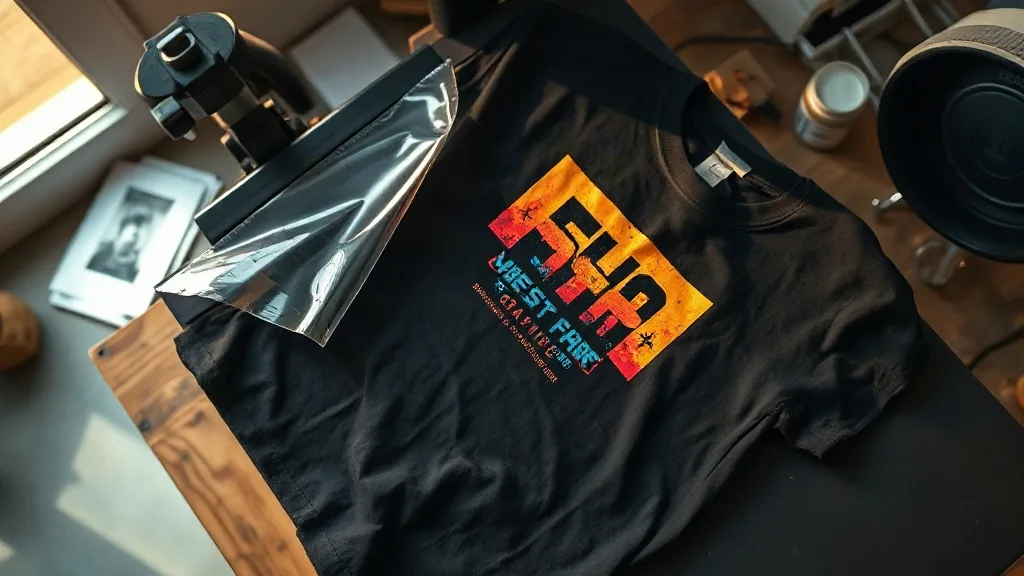
Most people meet dtf transfers by accident. They order a custom shirt for a team, a family reunion, or a small brand launch, and the print comes back with colors so sharp and edges so clean that they assume it was screen printed. Then they wash it twenty times and it still looks the same. That durability is not luck. It comes from how the transfer is built and how it is applied, and understanding both makes it much easier to order the right thing the first time.
This guide walks through the process from a buyer's perspective rather than a printer's. You will see what a dtf sheet actually contains, which garments it handles well and which it does not, how to press it correctly, and the mistakes that cause peeling, cracking, and washed-out color. If you are putting artwork on shirts for a small business, a sports club, or a one-off event, these details decide whether the result looks professional or homemade.
What a DTF Transfer Actually Is
DTF stands for direct to film. A printer lays down water-based pigment ink onto a coated plastic film, then dusts a thermoplastic adhesive powder over the wet ink while it is still tacky. The powder fuses into the ink under heat, and what you end up with is a thin, flexible layer of color with a glue backing. To apply it, you press the film onto fabric, let the adhesive bond, and peel the carrier away.
The important part is that the ink never touches your fabric directly. It sits on top as a cured film, held by the adhesive. That is why the process works on so many materials. Cotton, polyester, blends, canvas, and even some nylon take a dtf print without the color shifting or the fabric needing a special coating first.
Why the Powder Layer Matters
Beginners often assume the powder is just a drying agent. It is actually the entire bonding mechanism. If the powder is applied too sparsely, the print will have weak spots that lift after a few washes. Applied too heavily, it leaves a stiff, gritty texture and a visible halo around the edges of the design. A well-made transfer has an even, matte dusting that you can barely feel once pressed. When you order transfers, this is one of the few quality signals you can check by touch before you commit to a full run.
Where DTF Beats Other Print Methods
Every decoration method has a sweet spot. Screen printing wins on huge runs of a single design. Vinyl cutting wins on simple one-color text. DTF carves out its own territory in three situations.
- Full-color artwork on dark garments. Because the transfer includes a white ink layer underneath the color, a gradient or a photograph prints vividly on a black shirt without the washed-out look you get from printing directly onto dark fabric.
- Small and mixed orders. There is no setup cost per color and no minimum quantity. Ten shirts with ten different designs cost roughly the same per piece as ten shirts with one design.
- Hard-to-print fabrics. Polyester, spandex blends, and coated nylon are difficult for other methods. DTF handles them without dye migration problems, which is the issue where a dark shirt's dye bleeds into a light print over time.
Where it loses: very large solid blocks of white ink can feel slightly rubbery on lightweight cotton, and a print on a highly stretchy athletic fabric will stretch with the garment but may eventually show fine cracks at the edges if the design is very rigid. For most everyday apparel, neither is a dealbreaker.
The Pressing Steps That Decide the Outcome
Most complaints about dtf transfers trace back to application, not manufacturing. The film is forgiving, but it is not magic. Four variables matter: temperature, pressure, time, and peel timing.
Temperature and Pressure
A common working range is around 150 to 160 degrees Celsius, but the fabric dictates the exact number. Thin cottons scorch easily at the high end, while heavy canvas needs more heat to let the adhesive flow. Pressure should be firm and even. Too little pressure and the adhesive never fully contacts the weave, so the print sits on the surface and lifts at the corners. Too much pressure on a textured fabric can push ink into the valleys of the weave, which looks fine initially but creates a speckled finish after washing.
Peel Timing: Hot vs Cold
Some films are designed for a hot peel, meaning you remove the carrier while the press is still warm. Others need to cool completely first. Getting this wrong is the single most common cause of a print that looks perfect on day one and starts lifting by week two. Always confirm which type you have before pressing a batch. If you are unsure, test one shirt and wash it before committing the rest.
The Second Press
After peeling, a short second press through a protective sheet or parchment settles the adhesive into the fabric and smooths the surface. It takes a few seconds and noticeably improves the hand feel. Skipping it is tempting on a busy day, but it is the difference between a print that feels like part of the shirt and one that feels stuck on.
Choosing Garments That Work With the Print
The shirt matters as much as the transfer. Tightly woven, smooth-surfaced fabrics give the cleanest results because the adhesive has a flat surface to grip. Ring-spun cotton is excellent. Heavy fleece and terry are trickier because the loops create an uneven surface, and a design with fine detail can lose definition.
For stretchy performance wear, look for a transfer with a softer, more elastic adhesive. Standard films will hold, but a garment that stretches repeatedly puts stress on the bond, and the edges take the brunt of it. If you are printing on compression shirts or sports jerseys, say so when ordering. A supplier who knows their material will steer you toward the right film rather than letting you find out after the season starts.
Care Instructions Worth Passing On
Buyers often hand a shirt to a customer or a teammate with no guidance, and then hear about problems months later. A short care note prevents most of them.
- Wash inside out in cold or warm water, never hot.
- Skip fabric softener, which leaves a residue that can weaken the adhesive over time.
- Tumble dry low or hang dry. High heat is the main enemy of any heat-applied print.
- Do not iron directly on the design. If you must iron, use a cloth between the iron and the print.
- Wait at least 24 hours after pressing before the first wash so the adhesive fully cures.
None of these are difficult, and a printed card tucked into each order costs almost nothing. It also signals that you know what you are doing, which matters when a customer is deciding whether to come back.
Common Mistakes and How to Avoid Them
The failures people report are remarkably consistent. A print peels at the edges because the corners cooled before the adhesive bonded. A design cracks across the middle because the garment was stretched while still warm during the peel. Colors look dull because the film was stored in a humid room and the powder absorbed moisture before pressing.
Storage is the one most people overlook. Keep unused transfer sheets flat, dry, and away from direct sunlight. A sealed bag in a cool drawer is enough. Sheets that have been sitting open in a garage for a season will still press, but the bond will be weaker and the failure will show up later, usually after you have already delivered the order.
Frequently Asked Questions
How many washes should a DTF print survive?
A properly applied print on a suitable fabric typically holds up through dozens of wash cycles with only minor softening of the colors. Longevity depends far more on wash temperature and drying method than on the transfer itself, so cold washing and low-heat drying make the biggest difference.
Can I use DTF transfers on 100 percent polyester?
Yes, and it is one of the method's strengths. Because the ink sits on a film rather than soaking into the fiber, there is no dye migration issue, which is the usual problem when printing light colors on dark polyester. Just keep the press temperature moderate so the fabric does not glaze.
Do I need a heat press, or will an iron work?
An iron can work for a single shirt in a pinch, but it is hard to get even pressure and consistent temperature across the whole design. For anything beyond a one-off, a heat press gives noticeably better and more repeatable results, and it is the difference between a print that lasts and one that starts lifting at the corners.
Why does my transfer look stiff after pressing?
Usually too much adhesive powder or excessive pressure pushing ink into the fabric weave. A short second press through a protective sheet helps, and so does choosing a film suited to the garment weight. Very heavy designs with large solid areas will always feel a bit firmer than fine line work.
Can I layer colors or overlap transfers?
You can, but each additional layer adds thickness. Press the first transfer, let it cool, then apply the second with slightly reduced pressure so you do not flatten the layer underneath. For complex multicolor artwork, it is usually cleaner to have the whole design printed as a single transfer rather than stacking several.
Getting a Result You Will Not Have to Redo
Custom apparel fails for boring reasons. The wrong film for the fabric, a rushed peel, a hot dryer, a sheet left out in the damp. None of these are dramatic, and all of them are avoidable once you know what to watch for. The method itself is reliable, which is exactly why it has become the default for small runs and detailed artwork.
If you are planning a run for a team, a shop, or an event, start with a single test shirt. Press it, wash it, wear it. A day of testing tells you more than any specification sheet, and it turns a gamble into a decision you can make with confidence.